A small bakery owner wants a birthday menu with tiny ribbons tied around each headline letter. A teen designer wants Instagram captions that match the soft pink coquette trend on her feed. Both type the same phrase into search, because a bow font promises that sweet look.
This guide explains what bow fonts are, where to find them, and how licenses work. Readers who love decorative scripts may also enjoy our guide on brittany signature font next. The sections below cover styles, free and paid sources, pairings, installation steps, mistakes, and a quick checklist.
Font details here come from public listings on font marketplaces and free font libraries. Licenses change often, so designers should read the license file inside every download before using a font commercially.
Quick Answer: What Is a Bow Font?
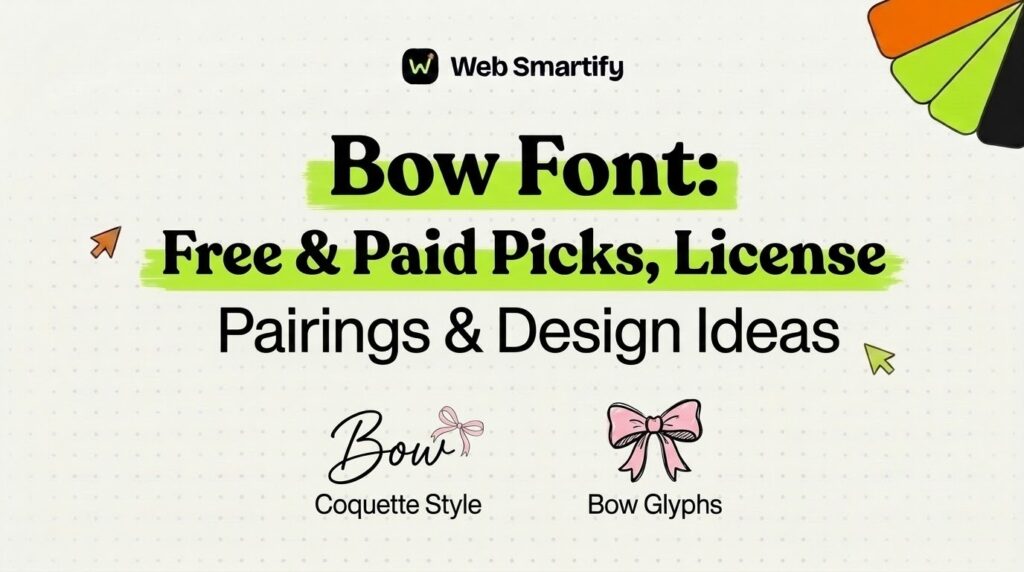
A bow font is a decorative typeface that adds ribbon bows to letters or uses bow glyphs. Some bow fonts attach small bows to the tops or ends of script letters. Others work as dingbat fonts, where each key types a different bow illustration. Designers use them for coquette themed posts, baby showers, birthday invitations, and boutique branding. Most bow fonts suit short display text such as names instead of long paragraphs.
What Does Bow Font Mean?
A bow font is any typeface that features bows, ribbons, or ribbon details as its main element. The phrase does not point to one single font, because many designers sell fonts with this theme. Most bow fonts fall into a soft, feminine, and playful style that matches the coquette aesthetic.
The trend grew on TikTok, Pinterest, and Instagram, where pink bows became a signature visual motif. Font designers responded with scripts, serif fonts, and dingbats that include ribbon embellishments. In simple words, a bow font is lettering dressed up with tiny ribbons.
Bow Font at a Glance
The table below summarizes the main facts about bow fonts for quick reference:
| Feature | Details |
|---|---|
| Category | Decorative, display |
| Common styles | Script with bows, bow dingbats, ribbon letters |
| Popular aesthetic | Coquette, cottagecore, girly |
| Best uses | Invitations, social posts, labels, logos |
| Sources | Font marketplaces, free font libraries |
| License types | Personal use, commercial use, desktop, web |
These details help designers decide which bow font style fits a specific project before searching.
Types of Bow Fonts
Bow fonts come in several styles, and each style suits different projects and audiences. The sections below explain the main types that designers meet on font marketplaces.
Script Fonts With Bow Swashes
Script bow fonts attach small ribbon bows to the start or end of flowing handwritten letters. Many include alternate characters, so designers can choose which letters carry a bow. These fonts work well for names, wedding invitations, and boutique logos with soft branding.
Serif and Sans Fonts With Bow Accents
Some bow fonts start with classic serif or rounded sans letters and add bows on top. This style keeps letters readable while still showing the coquette charm in headlines. Retro uppercase bow fonts often appear on posters, menus, and handmade product labels.
Bow Dingbat Fonts
Dingbat bow fonts replace letters with bow illustrations, so each key types a different bow shape. Designers use them to add decorative icons without importing separate image files. Typing the letter A might produce a satin bow, while B produces a vintage ribbon.
Ribbon Letter Fonts
Ribbon letter fonts shape each letter like a curled or folded ribbon instead of adding small bows. These fonts feel more dimensional and suit gift shops, holiday graphics, and party banners. Some designers group them with bow fonts because both share the ribbon theme.
Embroidery and Craft Bow Fonts
Craft sellers also offer bow fonts as machine embroidery files for sewing projects. These files work inside embroidery machines instead of standard design software like Canva. Crafters use them for monograms on towels, baby blankets, and tote bags.
Types of Bow Fonts Table
The table below compares the main bow font styles side by side:
| Type | Readability | Best For |
|---|---|---|
| Script with bow swashes | Medium | Names, invitations, logos |
| Serif or sans with bows | High | Headlines, labels, posters |
| Bow dingbats | Not text | Icons and decorations |
| Ribbon letters | Medium | Banners, holiday graphics |
| Embroidery bow fonts | Varies | Sewing and monograms |
The comparison shows that serif bow fonts read best, while dingbats work only as decoration.
Who Uses Bow Fonts?
Bow fonts attract a wide range of creators, from hobby crafters to professional brand designers. Small business owners use them for bakery menus, salon signs, and boutique packaging. Event planners rely on them for baby showers, bridal showers, and birthday party invitations.
Content creators use bow fonts for thumbnails, story covers, and quote graphics on social platforms. Teachers and parents also use them for classroom labels, party favors, and printable activity sheets. The broad audience explains why marketplaces now list hundreds of bow themed fonts and graphics.
Where to Find a Bow Font
Designers can find bow fonts on free font libraries, paid marketplaces, and inside design apps. Each source offers different license terms, quality levels, and file formats for designers.
Free Font Libraries
Free libraries such as FontSpace, 1001 Fonts, and DaFont list bow and coquette themed fonts. Many of these fonts allow personal use only, while commercial use requires a paid license. FontSpace, for example, lists a free KBRibbonsAndBows font with personal use terms.
Paid Font Marketplaces
Paid marketplaces such as Creative Fabrica, Creative Market, and Envato Elements offer many bow fonts. Several products on Creative Fabrica carry the simple name Bow, including dingbat style fonts. Paid fonts usually include commercial licenses, extra glyphs, and better technical quality.
Design Apps
Canva and similar apps include decorative fonts, and some feature soft scripts that pair well with bow graphics. Users can also upload purchased bow fonts into Canva Pro brand kits for repeated use. Bow stickers and elements inside these apps can mimic the effect without a dedicated font.
| Source | Cost | License Notes |
|---|---|---|
| FontSpace | Free to download | Often personal use only |
| 1001 Fonts | Free to download | Check each font license |
| Creative Fabrica | Subscription or single purchase | Commercial license included |
| Creative Market | Single purchase | Desktop license by default |
| Canva | Free and Pro plans | Canva content license applies |
The table shows that free downloads rarely include the same commercial rights as paid marketplace fonts.
Bow Font Licenses Explained
Font licenses decide where and how designers can legally use a font in their projects. A personal use license usually blocks selling products, client work, and business branding with that font. Commercial licenses allow business use, but some limit print runs, web use, or app embedding.
Common License Types
Desktop licenses cover installing the font on a computer for print and image designs. Web licenses cover embedding the font on websites through CSS files and font hosting. App and ebook licenses cover fonts inside software, mobile apps, or digital publications.
Print on Demand Rules
Sellers on Etsy, Redbubble, or Amazon Merch need licenses that allow products for resale. Some marketplaces include print on demand rights, while others require an extended license upgrade. Reading the license file before creating products prevents takedown notices and refund requests.
| License Type | Allows | Common Limits |
|---|---|---|
| Personal use | Private projects | No selling or client work |
| Desktop commercial | Print and image designs | Device or user count |
| Web | Website embedding | Monthly page views |
| Extended | Products for resale | Higher price |
Designers should save license files and receipts in the same folder as the downloaded font files.
How to Install a Bow Font
Installing a bow font takes only a few minutes on most computers and design apps.
Step 1: Download From a Trusted Source
Download the font from a reputable library or marketplace that shows clear license terms. Avoid random file sharing sites, which may host pirated fonts or bundled malware. Save the ZIP file in a dedicated fonts folder for easy management.
Step 2: Unzip and Check File Types
Extract the ZIP file and look for OTF or TTF files inside the folder. OTF files usually support more alternate characters, which matter for bow swashes. Read the included license text file before moving forward with the installation steps.
Step 3: Install on Windows or Mac
On Windows, right click the font file and choose Install or Install for all users. On Mac, double click the file and press Install Font inside Font Book. Restart open design programs so they detect the newly installed font on the system.
Step 4: Upload to Canva or Cricut
Canva Pro users can upload OTF or TTF files through the brand kit section. Cricut Design Space reads fonts installed on the computer system automatically after a restart. Check that the license allows use inside these online apps before uploading any files.
Step 5: Access Bow Alternates
Many bow scripts hide bows inside alternate characters instead of standard keyboard letters. Apps like Adobe Illustrator and Photoshop show alternates through the Glyphs panel. Canva may require copying special characters from a separate character map tool first.
How to Pair a Bow Font
A bow font draws strong attention, so it needs calm partner fonts for body text. Designers who like soft retro serifs can also read our guide on recoleta font for pairing ideas. The table below lists pairings that balance decorative bows with readable text:
| Bow Font Style | Pairing Font Style | Example Use |
|---|---|---|
| Script with bows | Clean sans serif | Wedding invitation |
| Serif with bows | Light script | Bakery menu |
| Bow dingbats | Rounded sans serif | Baby shower card |
| Ribbon letters | Simple serif | Holiday banner |
Pairings work best when one font carries personality and the other carries the reading load. A simple test involves printing a sample and checking whether the main details stand out within three seconds. If readers must search for the date or price, the partner font needs more weight.
Color Palettes for Bow Designs
Soft pinks, creams, and blush tones match the coquette aesthetic that made bow fonts popular. Red and white suit holiday graphics, while black and pink create a bolder modern look. Pastel blue and lilac also work well for baby showers and spring events.
Best Uses for a Bow Font
Bow fonts shine in projects where charm and personality matter more than long reading. The list below covers common uses that designers report on font marketplaces and social media:
| Project | Why Bow Fonts Fit |
|---|---|
| Birthday invitations | Playful, celebratory mood |
| Baby shower cards | Soft, sweet theme |
| Boutique logos | Feminine branding |
| Social media captions | Trendy coquette look |
| Product labels | Gift and handmade feel |
| Wedding stationery | Romantic details |
Long paragraphs, legal text, and data heavy designs should stay in plain fonts for readability.
A Short History of Bows in Design
Bows have decorated clothing, gifts, and art for centuries, long before digital fonts existed. Eighteenth century French fashion used silk bows on gowns, shoes, and hair as symbols of elegance. Victorian greeting cards and wedding stationery also featured ribbons tied around flowers and lettering.
Print designers carried these motifs into posters, labels, and packaging throughout the twentieth century. Bakeries, perfume brands, and gift shops used ribbon borders to signal care and sweetness. Digital font designers later turned these classic ribbon motifs into installable typefaces and dingbats.
The Coquette Revival
The coquette aesthetic revived bows as a fashion and lifestyle trend across social media platforms. Creators shared pink bows on hair, nails, phone cases, and home decor in short videos. This viral trend pushed bow fonts from niche craft files into mainstream design searches.
Bow Fonts for Social Media Graphics
Social media designers use bow fonts for quote posts, story covers, and highlight icons. Short phrases like names, dates, or single words show the bows clearly on small screens. Longer captions still belong in plain fonts so followers can read them quickly.
Instagram and TikTok Text
Instagram and TikTok apps limit custom fonts inside native captions and text tools. Designers create graphics in Canva or Photoshop, then upload them as finished images or videos. Some websites offer fancy text generators, but those tools use Unicode symbols instead of real fonts.
Pinterest Pins
Pinterest pins often use bow fonts for titles on recipe, party, and fashion boards. Tall pin layouts give bow scripts enough space to shine without crowding other text. Designers should keep the main keyword readable so search users understand the pin at a glance.
Bow Fonts for Cricut and Craft Projects
Crafters use bow fonts with Cricut and Silhouette machines for vinyl decals, cards, and gift tags. Script bow fonts need welding inside the design software so connected letters cut as one piece. Thin bow details may tear during cutting, so crafters should test small sizes on scrap vinyl first.
Dingbat bow fonts work well for stickers and decorative accents on handmade cards. Crafters can type a single letter to produce a bow, then resize it for each project. Commercial licenses still matter when crafters sell finished items at markets or online shops.
Accessibility Tips for Decorative Fonts
Decorative fonts can create barriers for readers with low vision or reading difficulties. Designers should keep important details like dates, prices, and addresses in high contrast plain fonts. Accessible design lets bow fonts add charm without hiding the information readers need.
Websites using bow fonts should apply them only to headings and keep body text in system fonts. Screen readers read the underlying text, so dingbat bows inside headings may confuse users. Designers can add bows as images with empty alt text when they serve only decoration.
How to Create Custom Bow Lettering
Some designers cannot find a bow font that matches their brand, so they create custom lettering instead. Custom work takes more time, but it produces a unique look that no other brand shares.
Step 1: Pick a Base Font
Start with a clean script or serif font that already matches the brand personality. Check that the base font license allows modifications and logo creation for business use. A strong base font makes the final lettering look intentional and professional.
Step 2: Draw or Source Bow Elements
Draw simple bows in Illustrator, Procreate, or Canva, or use licensed bow vector graphics. Keep line weights similar to the base font so the bows feel part of the letters. Save several bow sizes and angles for different letter shapes and word lengths.
Step 3: Attach Bows to Key Letters
Place bows on the first letter, the last letter, or the dot of an “i” for balance. Group each bow with its letter so both move together during layout changes. Two or three bows per word usually look stylish, while more bows start to feel cluttered.
Step 4: Export for Every Use
Export the finished lettering as SVG for print and cutting machines, and PNG for social media. Save a transparent version for placing the lettering over photos and colored backgrounds. Keep the editable source file so future changes stay quick and easy.
How Much Do Bow Fonts Cost?
Bow font prices vary widely depending on the marketplace, license type, and number of included styles. Free library fonts cost nothing for personal use, but commercial licenses may cost extra. Paid marketplace fonts often fall within a modest price range for a standard desktop license.
| Option | Typical Cost Range | Notes |
|---|---|---|
| Free library font | Free for personal use | Commercial license often extra |
| Single marketplace font | Low to moderate one time fee | Desktop license by default |
| Font bundle | Moderate one time fee | Many fonts, varied quality |
| Subscription service | Monthly or yearly fee | Large library, license terms vary |
Designers should compare license terms along with prices, because the cheapest option may block business use.
Bow Font vs Ribbon Font vs Script Font
Designers often confuse three font groups that share soft curves and decorative details. Each group serves a different goal, so the table below explains the difference:
| Font Group | Main Feature | Example Use |
|---|---|---|
| Bow font | Bow details on letters or bow glyphs | Coquette social posts |
| Ribbon font | Letters formed like ribbons | Holiday banners |
| Script font | Handwritten flowing letters | Signatures, invitations |
Many bow fonts start as script fonts, which explains why the groups overlap on marketplaces.
Real World Example
A home baker in Texas wanted pastel labels for cookie boxes sold at a weekend farmers market. She downloaded a free bow script from a library and designed labels in Canva within one evening. Before printing, she checked the license and found it allowed personal use only.
She then bought an affordable commercial license from the designer through the link in the readme file. The labels sold well, and several customers asked about the cute ribbon lettering on the boxes. This example shows why license checks matter even for small handmade businesses.
A second case involved a social media manager for a small nail salon in Florida. She used a bow dingbat font to create matching highlight covers for the salon’s Instagram profile. Each cover used a different pink bow glyph, which gave the profile a polished look. Followers noticed the fresh style, and the salon owner kept the bow theme for printed loyalty cards.
Best Practices for Using a Bow Font
These principles help designers use bow fonts with taste and clarity in every project:
- Use bow fonts for short headlines and names, and keep body text in simple readable fonts.
- Limit bow alternates to two or three letters per word so designs stay clean and balanced.
- Check the license file before using any bow font on products, logos, or client projects.
- Pair bow fonts with soft color palettes like blush pink, cream, and pastel lilac tones.
- Test the design at small sizes because tiny bows can turn into blurry dots on phones.
- Keep a backup plain font ready for platforms that cannot load custom decorative fonts.
Testing Questions to Ask Before Choosing
A quick test reveals more than any marketplace preview, so ask these questions before committing.
Does the Font Stay Readable at Small Sizes?
Type a short phrase at a small size and view it on a phone screen. Readable bow fonts keep letter shapes clear even when bows shrink to tiny details. Fonts that blur at small sizes should stay in large headlines only.
Do the Alternates Work in the Design App?
Open the font in the app the project will use and test several bow alternates. Some apps cannot access alternate glyphs easily, which limits the bow effect. Designers should confirm alternate access before buying a font for a specific workflow.
Does the License Cover the Project?
Read the license and match it against the project type, such as resale, client work, or website use. A mismatch can force a costly upgrade or redesign after the project launches. Clear licenses save time and protect small businesses from legal trouble and takedowns.
Next Step After Finding a Bow Font
Once the bow font sits installed and licensed, designers can build a small style guide. The Web Smartify homepage lists more font guides, pairings, and design resources for creators in the United States. Readers can bookmark this guide and revisit the checklist before each new design project. A saved list of favorite bow fonts, pairings, and colors speeds up every future invitation or social graphic.
Common Mistakes When Using a Bow Font
1. Ignoring the License
Many designers download free bow fonts and use them on products without reading license terms. Personal use licenses usually block selling items or creating client logos with the font. Read every license file carefully before starting any commercial work for clients or shops.
2. Using Bows on Every Letter
Some designers turn on bow alternates for every single character in a word. The result looks cluttered and becomes hard to read, especially on small screens. Place bows on the first or last letter for a cleaner and more stylish look.
3. Setting Body Text in a Bow Font
Long paragraphs in a decorative bow font tire readers and hide important details. Event times, addresses, and prices need simple fonts so guests can read them quickly. Keep bow fonts for headlines, names, and short labels on every design.
4. Downloading From Unsafe Sites
Random download sites sometimes host pirated fonts or files bundled with unwanted software. These fonts may lack proper licenses and expose designers to legal risk. Use trusted libraries and marketplaces that show clear designer credits and license terms.
5. Forgetting Alternate Characters
Some designers install a bow script and wonder why no bows appear on the letters. Many bow details sit inside alternate glyphs that require a Glyphs panel or character map. Learning to access alternates reveals the full charm that the font designer intended.
6. Mixing Too Many Decorative Fonts
Combining a bow font with another fancy script and a display font creates visual chaos. Each decorative font competes for attention, and the whole design loses focus quickly. Use one decorative font and one or two plain partner fonts at most.
Bow Font Checklist
Use this checklist before placing a bow font in any design project:
- Confirm the license allows the intended use, such as personal, commercial, web, or resale projects.
- Download the font only from trusted libraries or marketplaces that show clear designer credits.
- Install OTF files when available because they usually support more bow alternate characters.
- Test readability at small sizes on a phone before finalizing social posts or product labels.
- Pair the bow font with one clean sans serif or serif font for body text and details.
- Save the license file and receipt alongside the font files for future reference and proof.
Frequently Asked Questions
What is a bow font?
A bow font is a decorative typeface that adds ribbon bows to letters or uses bow glyphs. Designers use bow fonts for coquette posts, invitations, and soft boutique branding. The phrase covers many different fonts from many designers instead of one single typeface.
Where can I find a free bow font?
Free bow fonts appear on libraries such as FontSpace, 1001 Fonts, and DaFont. Many of these fonts allow personal use only, so commercial projects need a paid license. Always read the license file that comes included with each font download.
Can I use a bow font commercially?
Commercial use depends on the license attached to each specific bow font. Paid marketplace fonts usually include commercial rights, while many free fonts allow personal use only. Check for print on demand or extended license terms before selling products.
Is there a bow font in Canva?
Canva includes many soft script fonts that pair well with bow graphics and stickers. Canva Pro users can also upload purchased bow fonts through the brand kit feature. Upload only fonts whose licenses allow use inside online design apps like Canva.
What is a bow dingbat font?
A bow dingbat font replaces letters with bow illustrations, so each key types a bow shape. Designers use dingbats as decorative icons inside invitations, labels, and social graphics. These fonts do not work for reading text, so designers use them only for decoration.
How do I get the bows to show in a bow font?
Many bow fonts hide bows inside alternate characters instead of standard keyboard letters. Apps like Illustrator and Photoshop show these alternates through the Glyphs panel. Canva users may need a character map tool to copy and paste special glyphs.
What fonts pair well with a bow font?
Clean sans serif fonts pair well with script bow fonts for invitations and labels. Light scripts pair nicely with serif bow fonts on menus and posters. Keep one decorative font and one plain font for balanced and readable designs.
Why are bow fonts popular now?
Bow fonts grew popular with the coquette aesthetic on TikTok, Pinterest, and Instagram. Pink ribbons became a signature visual trend in fashion, decor, and social media graphics. Font designers responded with many bow themed scripts, serif fonts, and dingbats.
Can I use a bow font on a website?
Using a bow font on a website requires a web license that allows CSS embedding. Desktop licenses usually cover images and print designs, not live website text. Check page view limits and file formats before adding the font to a site.
Are bow fonts good for logos?
Bow fonts can work for boutique, bakery, and gift shop logos with a playful brand voice. Logos need commercial licenses, and some fonts require extended licenses for trademark use. Test the logo at small sizes to keep bows clear and readable.
Key Takeaways
- A bow font adds ribbon bows to letters or uses bow drawings as decorative characters.
- Common styles include script bow fonts, serif bow fonts, bow dingbats, and ribbon letter fonts.
- The coquette aesthetic on social media made bow fonts popular for posts, invitations, and branding.
- Free libraries offer many bow fonts, but most free downloads allow personal use only.
- Paid marketplaces usually include commercial licenses, extra alternates, and better technical file quality.
- Bow details often sit inside alternate glyphs that require a Glyphs panel or character map.
- Pairing a bow font with a clean sans serif keeps designs readable and balanced.
- Bow fonts suit short headlines and names, while body text needs plain readable fonts.
- License files and receipts should stay saved beside font files for future proof of rights.
- Testing designs at small sizes prevents tiny bows from turning into blurry dots on phones.
Final Thoughts
A bow font adds instant charm to invitations, social posts, labels, and boutique branding. Designers can choose script bows, serif bows, dingbats, or ribbon letters depending on the project mood. The right license, a clean partner font, and a light touch with alternates keep designs polished.
Download from trusted sources, read every license, and test designs on small screens before publishing. Careful choices turn a trendy font into a lasting part of a brand or event theme. Explore more font guides and design resources on Web Smartify for the next creative project.